
“Cybersecurity Computer-Based Training and Technical Communication Design”
by Lysandwr McNary | Xchanges 9.2
Results (cont.): Initial Description
The module opens with first an explanation of the heads-up display visible throughout the training and then a multi-media clip which creates a virtual world environment from the learner’s point of view, meant to replicate their computer workstation on a typical first day at the job. There are buttons for selecting a text transcript of the audio to each clip or exercise, to toggle the audio description on or off (it is also defaulted to ‘on’), to mute the music track or the narration, pause, and play. The heads-up display includes icons for learners to access resources (PDFs and web pages for further reference), a task list, a help button, and an exit point.
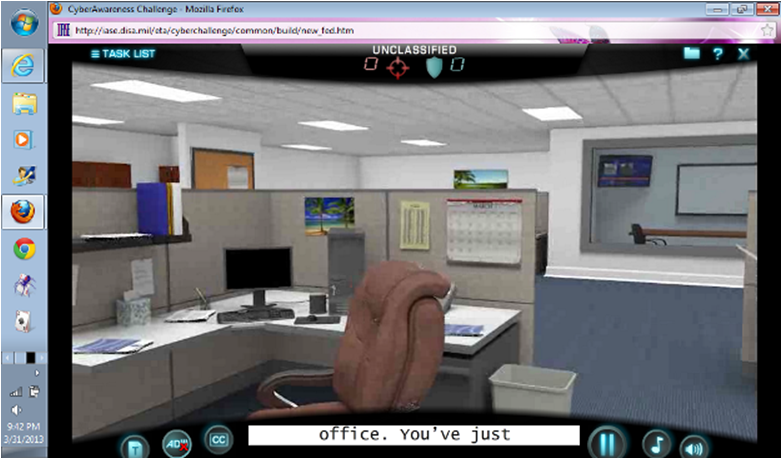
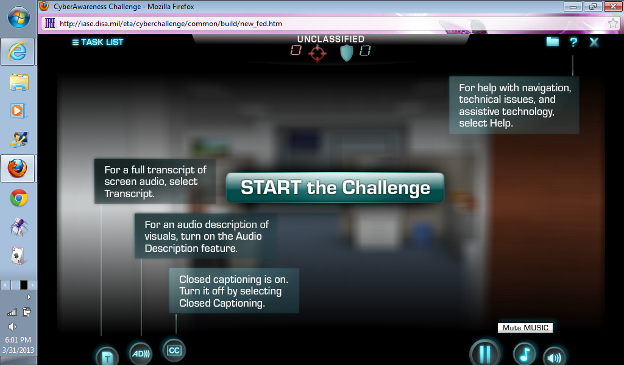
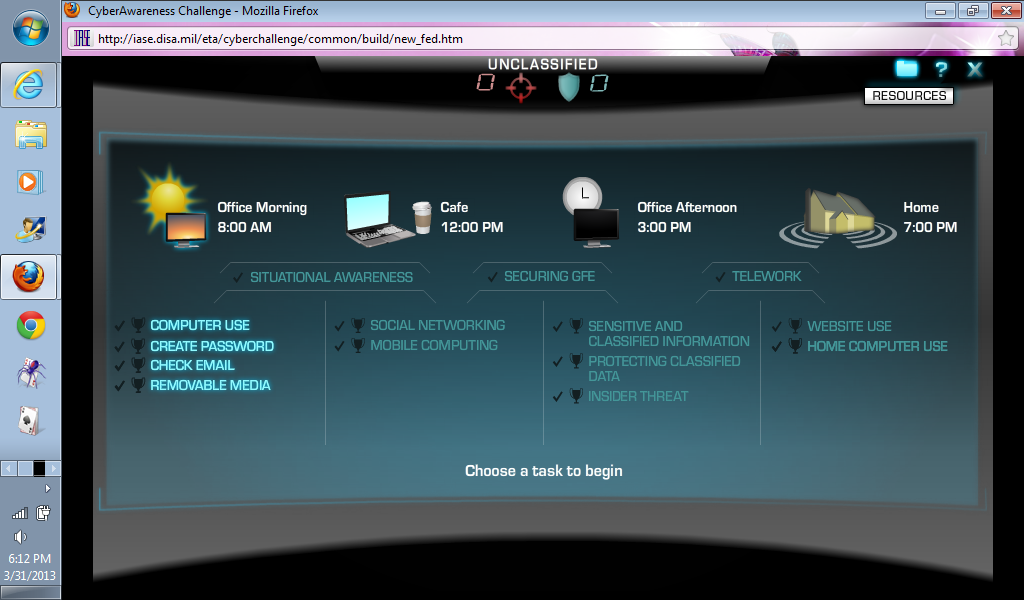
The training module returns to the task scene after each segment is completed. The task list is organized into four parts which follow a linear path both in time and type of tasks, with virtual locations to match.
The format of many segments includes a “tips” screen followed by an exercise which may or may not appear to relate to that screen. Since the learner has already completed the interactive element requiring that information, they have less motivation to read and/or retain the “tips” screen and can just click through if they choose. Furthermore, in reality the learner will advance to the next section even if he or she selects answers at random and enters clearly incorrect material or makes clearly incorrect choices in the trophy challenges. There is a mildly admonishing multi-media clip, but the learner advances to the next section anyway.